A useful business wanted request tells sellers what you want to acquire, what you can operate and what purchase budget you have chosen. It should be specific enough for an owner to recognise a fit without becoming a long questionnaire.
Write the title around the business, not the ambition
“Profitable Shopify homewares store wanted” is more useful than “Looking for a great opportunity.” Mention the model or category that matters most. Avoid stacking incompatible preferences into one title, such as a passive, rapidly growing business with no operating costs.
Use the description to separate requirements from preferences. A requirement might be genuine revenue history or a manageable fulfillment model. A preference might be a particular product category. This helps sellers decide whether a small difference is worth discussing.
Complete the four fields
- Title: describe the acquisition you are seeking.
- Business category: select the appropriate available category.
- Acquisition budget and currency: enter the amount intended for this purchase, keeping operating reserves and fees in your planning.
- Description: explain the model, operating preferences, relevant experience and important exclusions.
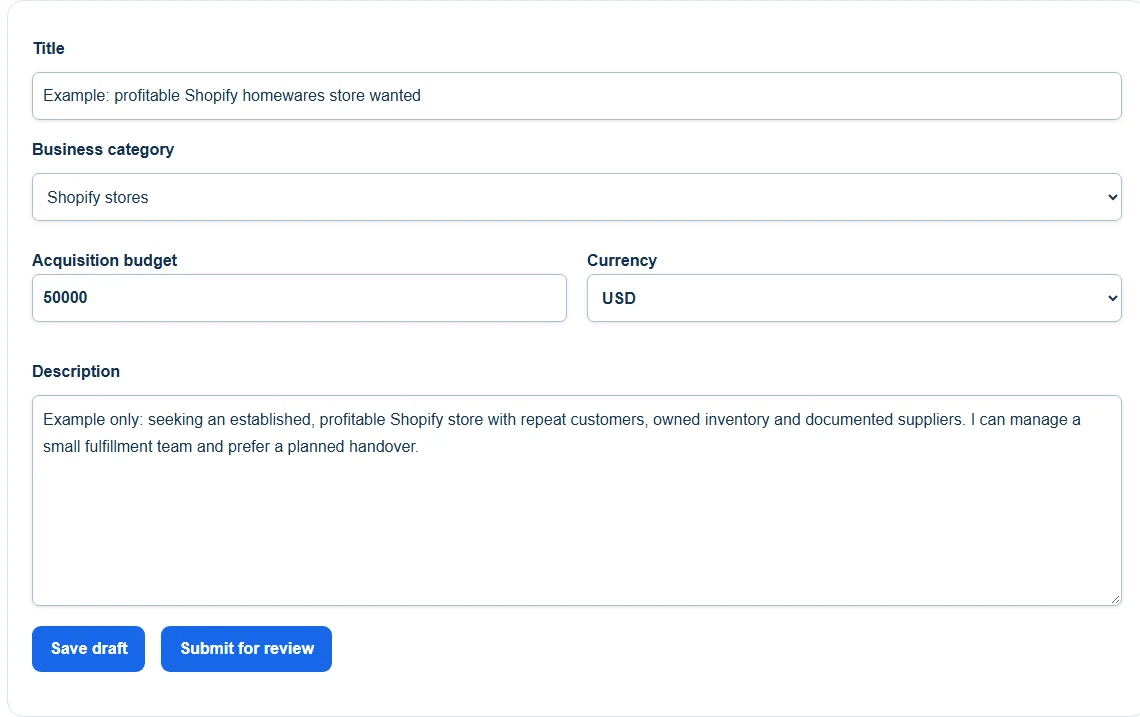
Demonstration: the buying-request form with example Shopify criteria; this is not a live request. Open the image to view it larger.
Use Save draft to keep working or Submit for review when the request is ready. You can do either before completing verification. Sign in or create an account to keep the request in your buying dashboard.
Adapt a realistic example
Example: I am looking for an established, profitable Shopify store in homewares or practical accessories, with an acquisition budget of USD 50,000. I prefer owned inventory, documented suppliers and a manageable weekly workload. I can oversee a small fulfillment team. I am open to a planned handover but am not looking for a pre-revenue store or a business dependent on daily founder-led content.
This is an illustrative request, not an actual buyer offer. It explains fit and limits without advertising private financial evidence. Do not state that funds are approved unless your profile actually shows approval.
Separate the budget from Verified Funds
Your request budget is what you intend to spend on this acquisition. Verified Funds is the exact amount and currency of purchasing funds personally reviewed by BizAcquir's team, which may include cash and available credit. The figures can differ because you may reserve capacity for operations or other commitments.
Before requesting funds verification, agree to public display of the approved total. Use Get your funds verified and contact [email protected] to arrange the review. Do not place bank documents or account details in your public request.
Complete the steps to publication
A public request requires identity verification, approved funds and approval of the request. Your dashboard shows the next step. Free posting does not change the transaction fees if you later complete a purchase.
You can use Hide my last name in your profile settings to show only your first name to other members. This does not change the legal identity used where required in private agreements.
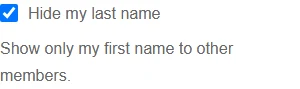
Demonstration profile: Hide my last name selected, with the first-name-only explanation. Open the image to view it larger.
Keep the request useful after publication
Requests renew automatically until paused or removed. You do not need to repost the same request to keep it active. Edit it when your criteria change; the approved version stays visible while a material revision is reviewed. Pause the request if you are no longer seeking introductions.
When a seller responds, read their point of fit and ask a focused follow-up. If several introductions reveal the same mismatch, clarify the request rather than rejecting everyone without explanation. Keep replies within BizAcquir and respect any confidential listing's separate access process.
Tell sellers what you want to buy—post a free buying request. Use the acquisition-budget guide before choosing the amount.