Sell your SaaS or micro-SaaS business with its software, operations and agreed assets. List for free; genuine past revenue can qualify even when current revenue or profit is zero.
Free to list. Built for operating businesses—and businesses with genuine past sales.
Save a draft now. Before submitting, connect a financial account and import its history. Published listings renew every 30 days at no extra listing cost.
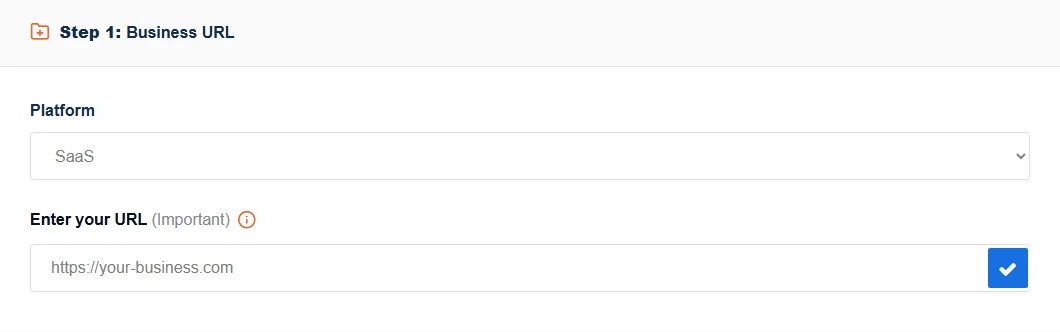
Prepare a draft at your own pace. Open the seller-interface image larger.
A micro-SaaS exit starts with a business a buyer can operate.
Explain the product, customer obligations, hosting costs and work needed to maintain it. Include code rights, documentation and service dependencies. This is a full business sale, not a standalone source-code or licence listing.
Give buyers a clear view of code rights, active customers, infrastructure costs and maintenance. For metered APIs or AI models, explain how costs change with usage. A usable product and documented dependencies matter more than an unsupported growth forecast.
Selling an abandoned SaaS means making the restart visible.
Show a buyer what runs today, what has stopped and what must be repaired. Code alone is not the whole offer: this marketplace is for full businesses with past revenue. Distinguish active subscriptions from old customers and explain maintenance, security and service obligations.
Active and inactive businesses with genuine past revenue can qualify, including businesses with no current profit. Never-revenue projects and standalone payment accounts are outside our current scope. Buyers are considering a whole business and the assets they can use—not a promise that past results will return.
Make the business understandable.
Code and ownership
List repositories, deployment instructions, documentation and licences. Confirm you own the code being sold and identify third-party and open-source restrictions.
Document critical dependencies and unsupported components. Do not claim a dormant product is maintained or secure without evidence.
Infrastructure and cost
Map hosting, domain, monitoring, email and external API dependencies. Record recurring costs with dates and currency.
Plan supported invitations or transfers, a backup and rollback, and credential rotation. Never include production keys or customer exports in public fields.
Customers and continuity
Separate active paying customers, trial accounts and historical customers. Record current recurring revenue independently of past sales.
List support obligations, annual prepayments, uptime commitments and any migration work. Explain what a buyer would need to resume service.
From your first draft to an agreed handover.
Prepare your listing. Choose the platform, describe the business and its operating status, and save your progress. Set your own Asking Price; a valuation is only a starting estimate.
Connect financial history. Connect an authorized account and select the business whose figures relate to your listing. A successful initial import is required before first submission. Current zero revenue does not erase properly recorded past revenue.
Submit for review. Check the preview, complete the required information and submit. You can see your status and respond to requested changes in your seller dashboard. Identity verification is separate from financial connections and listing review.
Talk with buyers. Keep enquiries and negotiations on BizAcquir. Compare the full terms—including assets, fees and any installments—before agreeing a deal.
Complete the handover. Follow the payment instructions and asset checklist in your private deal workspace. BizAcquir helps coordinate payment confirmation and handover, with buyer acceptance required before the seller’s payment is released.
Connected figures show their source, currency and reporting period. Your operating expenses and other seller-provided information remain separate. A recently imported older trading period is different from an out-of-date connection.
WhopStripeShopify
Whop connections are available. Stripe and Shopify can be selected in your draft, but connecting them depends on availability shown there. Save your draft or ask for help if your provider is not available yet. You may connect a supported provider different from your business platform, provided its figures relate to the business you are selling.
To verify your identity, use Verify identity in your account. Contact support for help with verification. An identity tick does not verify revenue or replace a BizAcquir Vetted listing review.
YOUR NEXT STEP
A clearer plan for selling.
Get a practical selling checklist or ask our team for help. No account needed.
Clear fees, before you agree.
Free listing
No listing fee. Automatic renewal every 30 days at no extra listing cost, until sold or otherwise removed.
Seller success fee
7% for USD sale prices up to and including $50,000; 5% above $50,000. The rate applies to the whole sale price, excluding the buyer fee.
Buyer fee: 2%
Added on top of the agreed sale price. Full cancellation refunds include amounts paid and collected platform fees through the agreed refund process.
Yes, if the full business has genuine past revenue. Show actual revenue and costs, current customers, maintenance work and included assets. Neither code alone nor an untested revenue forecast meets the past-revenue requirement.
Can I sell if the business is inactive?
Yes, if it has genuine past revenue and is a full business sale. Explain when trading stopped, what remains transferable and any obligations a buyer would inherit. The financial connection requirement still applies.
Does the business need to be profitable?
No. Present revenue, costs and losses honestly for matching periods. A loss-making business may have useful transferable assets, but its former sales are not a guaranteed valuation.
Can I save without connecting an account?
Yes. Save and resume a draft. Before first submission, at least one authorized Whop, Stripe or Shopify account must complete a genuine import containing the relevant revenue history.
Must account and business names be identical?
No. Select an account you are authorized to connect and confirm its figures relate to this business. Sources stay separate; unrelated revenue must not be combined.
What if I do not know an asking price?
Use the free valuation tool and review its assumptions. You can complete the questions before signup; create an account or sign in to view your private result. The estimate never sets your asking price automatically.
Does listing guarantee a buyer?
No. Clear information helps buyers assess an opportunity, but no sale, price or completion time is guaranteed.
When the business has stopped growing
Explore a practical guide for your situation: selling an inactive SaaS business. Start with what remains useful, the obligations still owed and the work a buyer would need to take over.
Get a practical selling checklist or ask our team for help. No account needed.
Your privacy choices
Essential cookies keep your account and drafts working. With your permission, analytics and advertising measurement help us understand which pages lead to useful actions. We do not send your messages, identity documents or financial answers.

 Whop
Whop Stripe
 Shopify