Onboarding succeeds when a new member can do something useful without guessing where to go. A long welcome video and dozens of channels can delay that moment. Build one short route through the experience, then let members explore.
Define the first useful result
Choose an action that proves the membership is usable. For a coaching community, it might be completing a diagnostic and locating the next session. For a reseller group, it might be learning how to evaluate an opportunity with your checklist. Reading every channel rule is necessary context, but it is not the product’s main result.
Write that result on the welcome page. Tell members what they need, how long the first task is likely to take and where to ask for help. Avoid guaranteeing an outcome such as a profitable trade or a client booking.
Build a three-part start-here area
- Access and orientation. Confirm what their plan includes, explain any linked app access and point to the support route.
- One practical task. Give a short instruction, a worked example and a place to apply it.
- The next visit. Show the schedule or the next resource that makes returning worthwhile.
Whop’s paid-group guide describes tools such as chat, forums, courses and events. Use only the pieces that support this route. A member should not need to infer whether an important update lives in a chat, course lesson or separate announcement feed.
Test with a genuinely fresh perspective
Walk through the member experience in an appropriate test account. Check links, plan entitlements, mobile readability, timezones and whether the support instructions make sense without owner privileges. Do not use an administrator’s unrestricted view as proof that the paid member can access the same material.
If you include Discord access, follow Whop’s current account-linking instructions and explain which account the member should use. Never ask for a member’s password. Distinguish an access problem from a billing problem before suggesting changes.
Make support a learning loop
| Repeated question | Product improvement |
|---|---|
| “Where do I start?” | One prominent start-here link. |
| “When is the next session?” | A schedule with an explicit timezone. |
| “What does my plan include?” | A plain-language plan summary near the welcome task. |
| “I cannot open this resource.” | A tested entitlement check and a safe support route. |
Use aggregated question patterns. Do not turn private member conversations into marketing screenshots without permission.
Measure progress without inventing an engagement target
Track whether new members reach the first task, how many need access help and whether they return for the next promised deliverable. Compare cohorts with the same observation window. A member who joined yesterday has not had the same chance to attend a weekly session as someone who joined three weeks ago.
These indicators are diagnostics, not proof of satisfaction or future retention. Follow up with a short, neutral question about what was useful and what was confusing. Improve the welcome route before adding more content. The best onboarding often removes a step.
Write a welcome route a member can finish
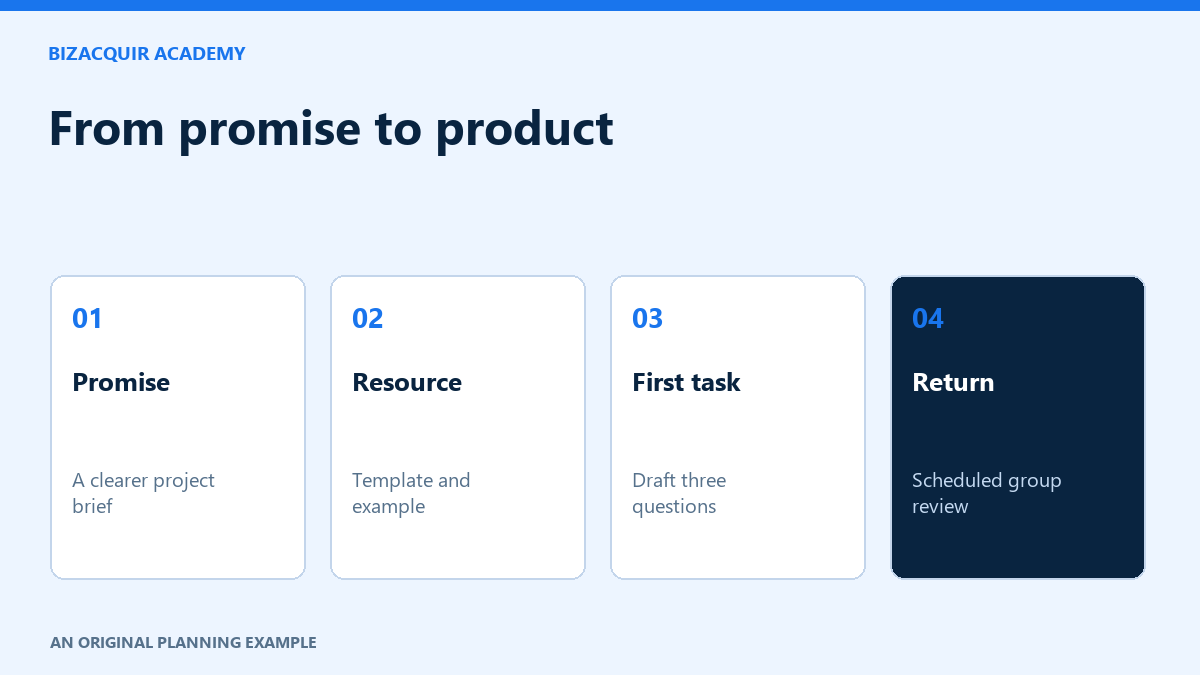
For the hypothetical illustrator membership, a useful welcome message could read: “Start with the project-brief template. Read the completed example, then fill in the first three questions for a fictional or suitably anonymised project. Bring one unclear question to the next group review; its date and timezone are in the schedule.” It explains a task, a resource and a reason to return without promising a commercial result.
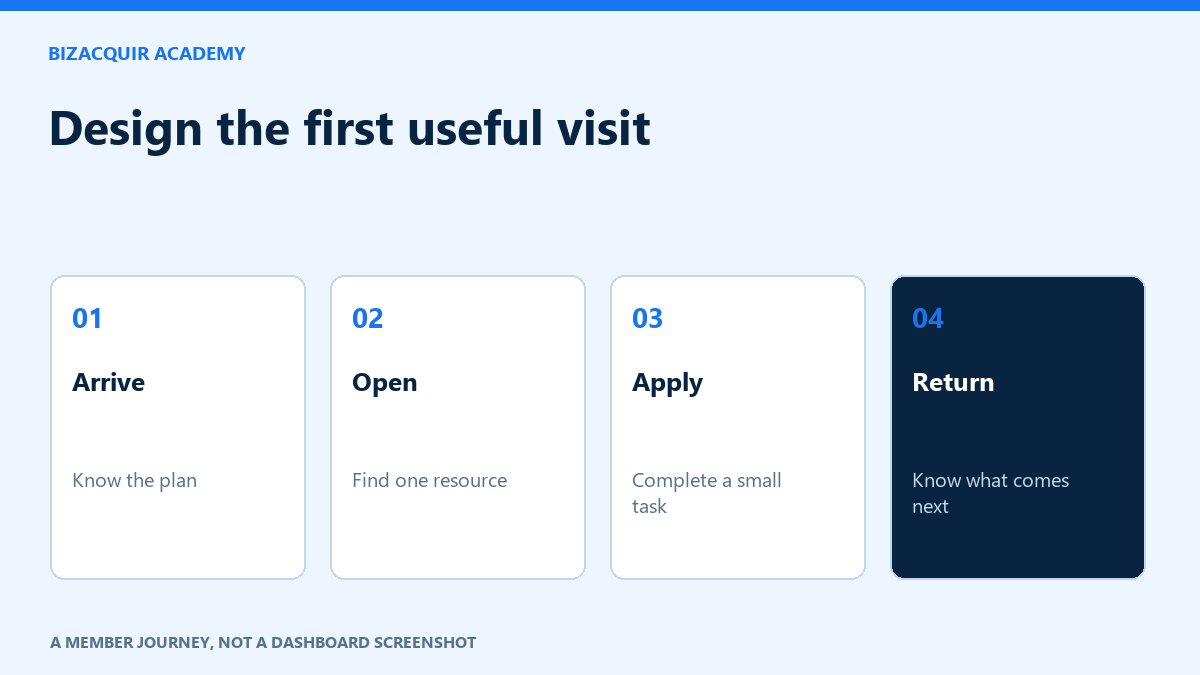
- Arrival: confirm the plan and show one start-here link.
- Access: identify the correct linked account if another community app is involved.
- Orientation: show where the resource, schedule and help route live.
- First result: use a short task with a completed example.
- Return: explain the next relevant session or update.
Keep rules and billing information accessible, but do not make the member search through a long policy archive before seeing what they bought.
Diagnose the step where people stop
| Observed problem | First check |
|---|---|
| The welcome link opens an access error. | Test the entitlement with the relevant plan and linked account. |
| Members open the resource but do not begin. | Ask whether the first instruction and expected output are clear. |
| Members finish once and never return. | Check whether the ongoing promise is useful and visible. |
| Questions repeat after the welcome message. | Put the answer beside the action that causes confusion. |
Measure completion within a stated window, such as seven days after joining, rather than comparing all-time members with yesterday's arrivals. Record an unknown outcome as unknown. A member may have benefited without posting, so combine observed activity with optional feedback rather than equating silence with failure.
Your next step
Sources and useful references
Platform interfaces and requirements can change. Check the linked official guidance for your account before making changes.
Check the whole first-week journey
Use a permitted test member to follow the normal purchase and access route. Can they recognize the welcome message, reach the promised area and complete a useful first task? A working payment alone does not prove the onboarding works. Measure completion at each step without publishing member identities.
- Access problem: provide a clear help route and investigate entitlement or linked-account issues.
- Content confusion: show one recommended starting task rather than ten equally prominent links.
- Expectation mismatch: clarify the offer and onboarding promise together.